A Kanban board works best for small teams when it has three to five columns, one clear owner per card, and a hard limit on how many tasks can sit “in progress” at once. Everything past that — extra statuses, nested sub-boards, approval chains — is usually solving a problem a 5–15 person team doesn’t actually have yet.
Most small teams don’t fail at Kanban because the method is wrong. They fail because they copy a board template built for a 200-person org and wonder why it feels heavier than the spreadsheet it replaced. This guide walks through how to set one up correctly the first time.
What Is a Kanban Board, Actually?
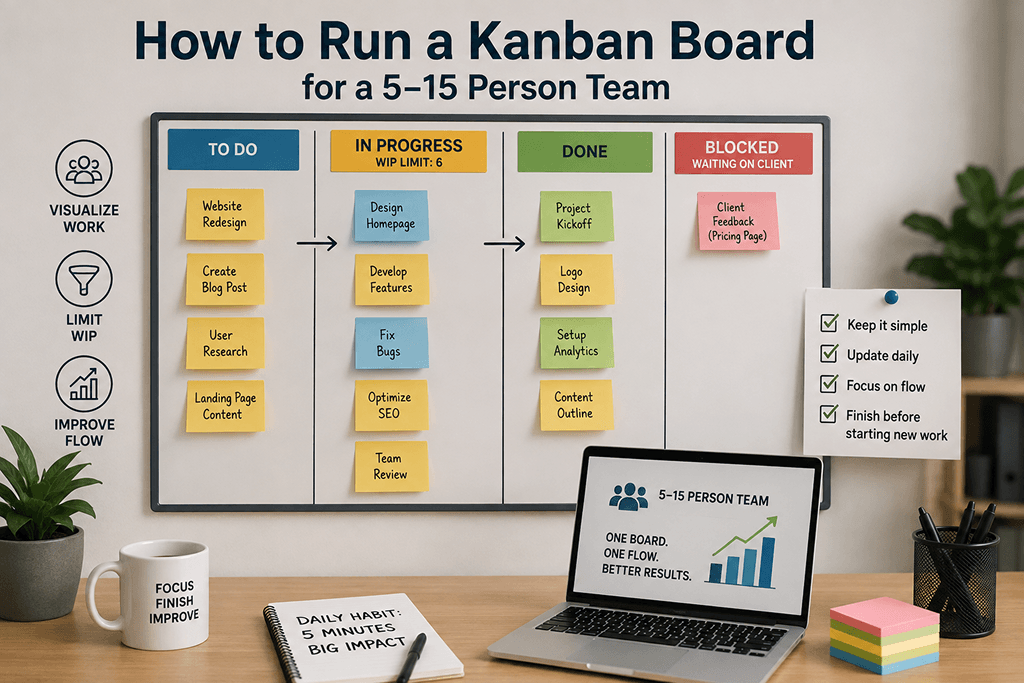
A Kanban board is a visual system that shows work moving through stages, from “not started” to “done,” using cards on columns. Each card represents one unit of work — a task, a request, a piece of content — and moves left to right as it progresses.
The entire point is visibility: anyone on the team can look at the board and know, in ten seconds, what’s happening and what’s stuck. If your board can’t answer “what’s stuck right now?” at a glance, it’s not really doing its job.
How Many Columns Should a Small Team Use?
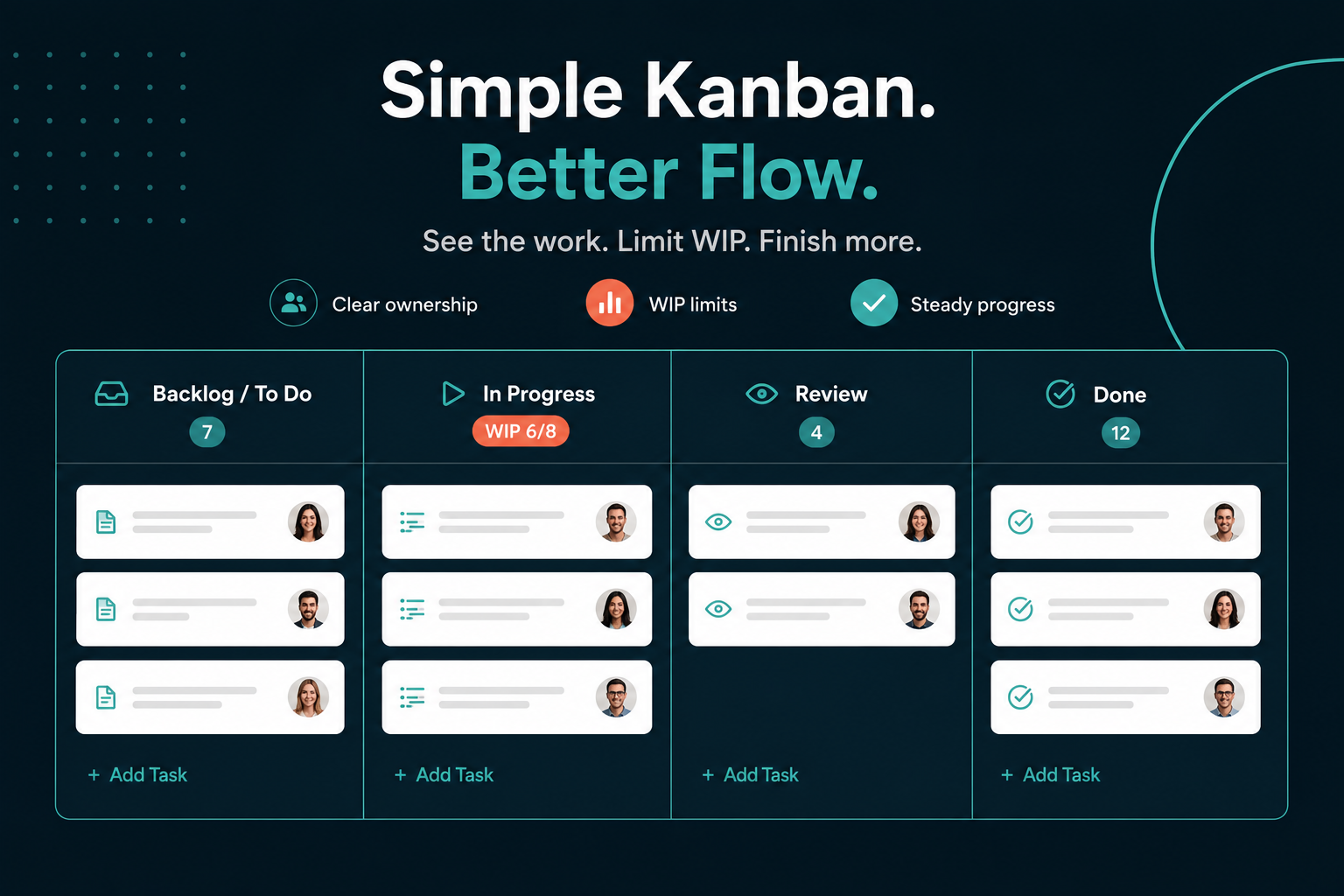
Three to five columns is the right range for most teams under 15 people. A dependable starting structure looks like this:
- Backlog / To Do — everything that’s planned but not started
- In Progress — actively being worked on right now
- Review — done by the assignee, waiting on a second set of eyes
- Done — finished and confirmed
Teams that add more than five or six columns (“Blocked,” “Waiting on Client,” “QA,” “Design,” “Dev”) almost always end up with cards frozen in the wrong lane because nobody agrees on the exact rule for moving between them. Fewer columns means fewer arguments about where a card belongs.
What’s a WIP Limit, and Why Does It Matter for Small Teams?
A WIP (work-in-progress) limit caps how many cards can sit in a column at once, and it’s the single most underused Kanban feature on small teams. Without one, “In Progress” quietly becomes a dumping ground for everything someone started but didn’t finish — which defeats the purpose of a visual board.
A simple rule of thumb: set the WIP limit on “In Progress” to roughly 1.5x your team size. A 6-person team, for example, caps that column around 8–9 cards. Once it hits the limit, the rule is simple — finish something before you start something new. This single habit does more to fix a chaotic board than any amount of column redesign.
How Do You Assign Ownership Without Creating Bottlenecks?
Every card should have exactly one owner, not a group. Shared ownership is where tasks quietly stall, because everyone assumes someone else is handling it. If a task genuinely needs two people, one is still the owner and the other is tagged as a collaborator.
For small teams specifically, this matters more than it does at enterprise scale — there’s no project management office to catch a card that’s been sitting untouched for two weeks. The board has to catch it on its own, which is why clear single ownership plus a WIP limit does most of the enforcement work automatically.
Common Mistakes Small Teams Make With Kanban
| Mistake | Why It Hurts | Fix |
|---|---|---|
| Too many columns | Cards get stuck in ambiguous states | Cap at 4–5 columns |
| No WIP limit | “In Progress” becomes a junk drawer | Set a limit at ~1.5x team size |
| Group-owned cards | Nobody feels responsible | One owner per card, always |
| Copying an enterprise template | Overhead outweighs the benefit | Start minimal, add structure only when you feel real pain |
| No regular board review | Stale cards pile up silently | A 10-minute weekly walk-through catches this early |
How Often Should a Small Team Review the Board?
Once a week is usually enough for teams under 15 people — a fast 10–15 minute walk-through where the team looks at anything that’s been sitting in the same column too long. Daily standups work too if the team already does them, but a dedicated weekly board review is the minimum to keep a Kanban board from silently going stale.
Setting This Up in ProjectoHub
ProjectoHub’s board defaults to a simple four-column structure out of the box, with role-based access so each team member only sees and edits what’s relevant to them. WIP limits, single-owner assignment, and email notifications when a card sits too long are all built in — no extra configuration required to get the structure described above running on day one.
Over 100 businesses currently run their team workflows on ProjectoHub‘s Kanban boards, most of them teams in the 5–15 person range this guide is written for.
FAQ
Do small teams really need Kanban, or is it overkill?
For teams of 5–15 people, Kanban is usually the right level of structure — enough to create visibility without the overhead of heavier methodologies like Scrum, which assume dedicated sprint planning and ceremonies most small teams don’t have time for.
What’s the difference between Kanban and a simple to-do list?
A to-do list shows what needs doing. A Kanban board shows what needs doing, what’s actively in progress, what’s stuck, and what’s finished — all at once, visually, for the whole team rather than one person.
How many WIP limit should a 10-person team set?
Using the 1.5x rule of thumb, a 10-person team would cap “In Progress” around 15 cards, though teams with longer-running tasks may want to set it lower to force more focus.
Can Kanban work for non-software teams?
Yes — Kanban originated outside software and works for marketing, operations, HR, and client services teams equally well, since the core idea (visualize the work, limit what’s in progress) isn’t specific to any one type of task.
Book a Demo — See how ProjectoHub’s Kanban boards work for teams your size.