In today’s fast-paced digital world, efficient project management and team collaboration tools have become essential for businesses, startups, students, and remote teams. Among the many platforms available, ProjectoHub 2.0 stands out as a powerful, user-friendly, and AI-powered hub designed to simplify workflows, increase productivity, and enable seamless collaboration.
In this article, we will dive deep into what ProjectoHub is, how it works, its features, benefits, pricing, and why it has become a top choice for teams worldwide. Whether you’re a freelancer, a project manager, a student, or part of a large organization, this guide will give you everything you need to know.
What is ProjectoHub 2.0?
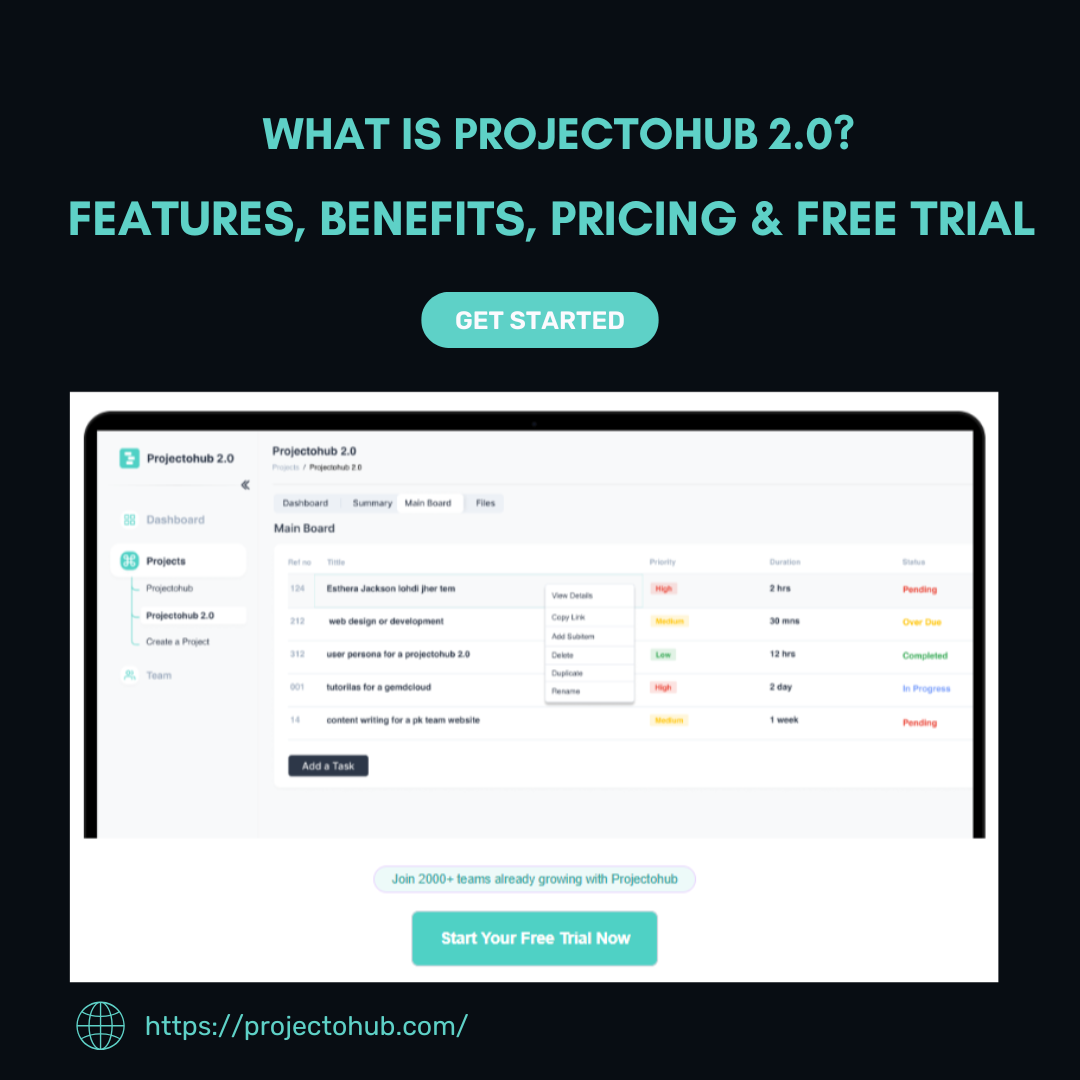
ProjectoHub 2.0 is an all-in-one project management and collaboration platform designed to make task organization, communication, and project tracking simple and effective.
It enables individuals and teams to:
- Create and manage projects in a few clicks.
- Assign tasks, add deadlines, and track progress.
- Collaborate with team members via comments, file sharing, and real-time updates.
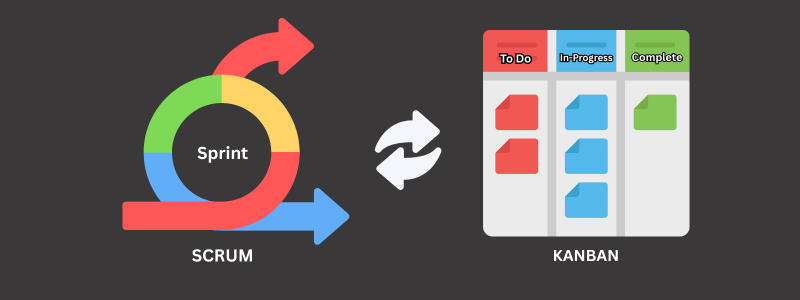
- Visualize workflows using Kanban boards, Gantt charts, and list views.
- Use AI-powered productivity tools tailored to specific roles.
Unlike many complex platforms that overwhelm new users, ProjectoHub balances simplicity with advanced features, making it suitable for startups, SMEs, large enterprises, and even student group projects.
Why Choose ProjectoHub 2.0 Over Other Tools?
There are dozens of project management tools available today, such as Trello, Asana, Monday.com, and Jira. However, ProjectoHub 2.0 sets itself apart with its intuitive interface, AI-enhanced productivity, and affordable pricing.
Here’s what makes it special:
- User-Friendly: Easy setup and simple navigation.
- Flexible Views: Switch instantly between list view, Kanban board, and Gantt charts.
- AI-Powered Assistant: Helps you automate repetitive tasks and optimize workflows.
- Scalability: Works for small teams, startups, freelancers, and global enterprises.
- Affordable Pricing: More cost-effective than many competitors.
Explore its full list of features here: ProjectoHub Features.
Who Can Use ProjectoHub?
One of ProjectoHub’s strengths is that it adapts to different industries and roles.
1. Businesses and Startups
Companies can streamline their workflows, reduce communication gaps, and manage projects more effectively. From product launches to marketing campaigns, ProjectoHub keeps everything organized.
2. Remote Teams
Distributed teams can collaborate in real time, assign tasks across time zones, and maintain accountability with clear progress tracking.
3. Freelancers
Independent workers can use ProjectoHub to manage multiple client projects in one platform, keeping deadlines and deliverables on track.
4. Students and Educators
ProjectoHub is also ideal for academic projects, helping student groups organize tasks, share files, and keep everything structured.
5. Agencies and Designers
Creative agencies and designers benefit from task filters, project archiving, and visual workflows that simplify handling multiple clients at once.
Key Features of ProjectoHub 2.0
Here’s a closer look at the most powerful features that make ProjectoHub a must-have productivity tool:
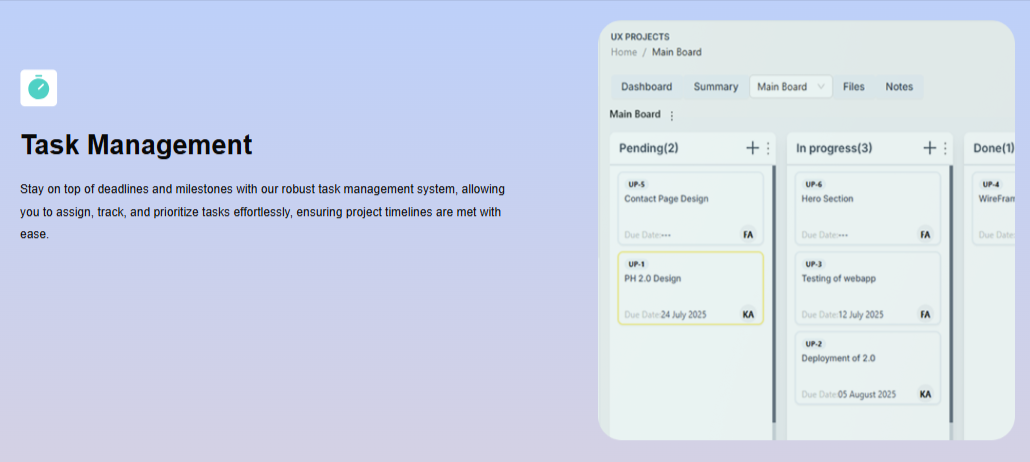
- Task Management
- Create tasks, assign team members, and add deadlines.
- Prioritize tasks by importance and urgency.
- Multiple Views (List, Board, Gantt)
- Kanban Board: Visualize workflows with drag-and-drop cards.
- List View: Perfect for detailed breakdowns.
- Gantt Charts: See project timelines clearly.
- AI-Powered Productivity
- Automates repetitive work.
- Suggests task optimizations.
- Provides role-specific recommendations.
- Collaboration Tools
- Add comments, attachments, and notes directly to tasks.
- Real-time notifications for updates.
- Project Archiving
- Archive completed projects for clean dashboards.
- Retrieve archived data whenever needed.
- Analytics & Reporting
- Track productivity with built-in metrics.
- See progress reports across all projects.
- Cross-Platform Access
- Web and mobile support ensures access anytime, anywhere.
Try it now by logging in here: ProjectoHub Login.
Benefits of Using ProjectoHub
ProjectoHub provides several advantages that boost team productivity and individual efficiency:
- Enhanced Efficiency: Organize tasks in one place.
- Better Collaboration: No need to rely on scattered emails or chat tools.
- Time Savings: Reduce wasted hours with AI automation.
- Transparency: Everyone knows what needs to be done.
- Scalable: Works equally well for small student projects and large enterprise operations.
- Affordable: Flexible pricing models for every budget.
ProjectoHub Pricing Plans

Cost is always an important factor when choosing project management software. ProjectoHub offers affordable, transparent pricing to fit different needs.
Explore the full pricing details here: ProjectoHub Pricing.
The typical pricing tiers include:
- Free Trial (30 Days): Test out all premium features without risk.
- Basic Plan: Perfect for freelancers and small teams.
- Pro Plan: Designed for growing businesses.
- Enterprise Plan: Customized for large-scale organizations with advanced needs.
Why Teams Worldwide Trust ProjectoHub
Over 2,000+ teams across the world are already using ProjectoHub for their daily workflows.
Some testimonials include:
- “ProjectoHub 2.0 has completely transformed how our remote team works. The Kanban view and task filters keep everyone on track.” – Sarah J, UX Lead
- “Managing multiple design tasks is so much easier now. The ability to archive old projects keeps our dashboard clean.” – Norman Ron, Product Designer
- “As a developer, I appreciate how I can filter tasks by priority and person. It saves me hours every week.” – Kashif Riaz, Frontend Developer
These real-world experiences highlight how simple yet powerful ProjectoHub truly is.
Security and Reliability
With more teams working online, data security is crucial. ProjectoHub ensures your data is safe with:
- End-to-end encryption.
- Secure cloud storage.
- Regular backups.
- Role-based access controls.
Use Cases of ProjectoHub
1. Software Development Teams
Organize sprints, track bugs, and manage releases with ease.
2. Marketing Teams
Plan campaigns, assign tasks, and measure outcomes in one place.
3. Design Teams
Manage creative assets, revisions, and approvals.
4. Academic Groups
Coordinate research, assignments, and group presentations.
How to Get Started with ProjectoHub
Getting started is simple:
- Sign Up → Visit ProjectoHub Sign Up.
- Create Your First Project → Add team members, assign tasks, and set deadlines.
- Choose Your View → Switch between Kanban, Gantt, or List view.
- Collaborate & Track → Use comments, file attachments, and AI-powered filters.
- Scale As You Grow → Upgrade your plan when your team expands.
Conclusion: Is ProjectoHub Worth It?
The short answer: Yes, absolutely.
If you’re looking for an all-in-one project management and team collaboration tool that is:
- Affordable,
- Easy to use,
- AI-powered, and
- Scalable for different team sizes,
then ProjectoHub 2.0 is an excellent choice.
It combines the best aspects of task management, communication, and automation into a single platform that adapts to businesses, freelancers, and students alike.
Ready to try it yourself?
- Explore all features here: ProjectoHub Features
- Start your journey today: ProjectoHub Sign Up
- Already a user? Login here: ProjectoHub Login
- Learn more about pricing: ProjectoHub Pricing
With its powerful tools, user-friendly interface, and AI-powered productivity, ProjectoHub is not just another project management tool—it’s your partner for seamless project flow and collaboration.